Ulike Laser Hair Removal Air 3 IPL Laser Hair Removal Device with Leather Case Purple 1 pcs
Ulike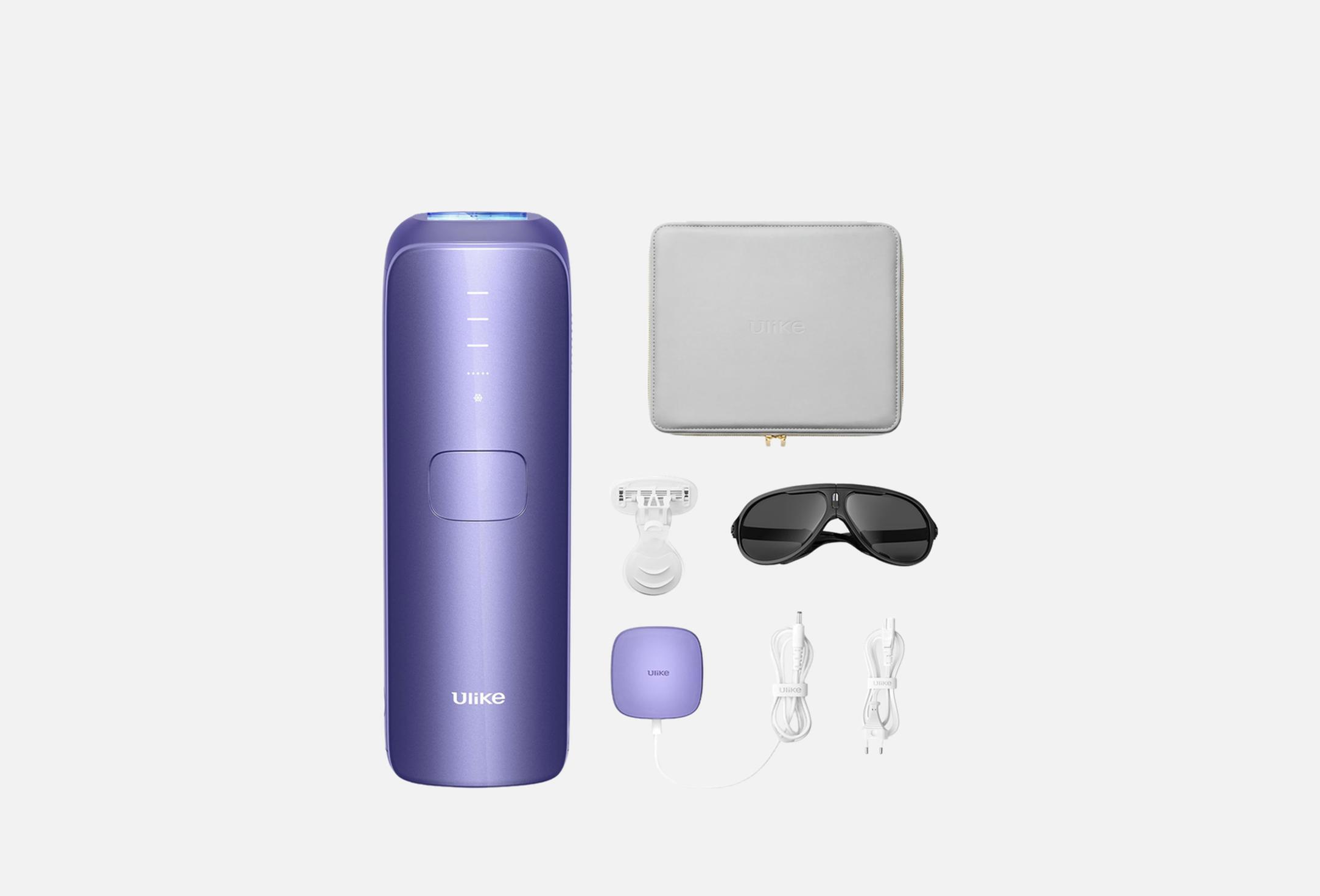
A compact IPL hair removal device with intense pulsed light technology provides smooth skin comfort right at your home. It weighs only 271 g and is equipped with a patented cooling touch function that maintains a comfortable temperature of 19 °C throughout the procedure, making the session feel almost painless.
After 3 weeks, you can notice a reduction in hair growth, and with regular use, the result persists for a long time. Modern IPL technology is safe for most skin and hair types, providing long-term care without razors and wax. A simple solution eliminates the need to visit a clinic.
The complete set:
– Air 3 IPL Hair Removal Device, 1 pc
– Leather Case, 1 pc
– Power Adapter, 1 pc
– Power Cord, 1 pc
– Protective Glasses, 1 pc
– Razor, 1 pc.
Warranty: 12 months.
- product type
- photo epilator
- use for
- body
- Shave the Treatment Area: Shave the areas you plan to treat to ensure the hair is no longer than 2mm. This allows the IPL to target hair follicles effectively without causing discomfort. After shaving, clean and dry the area completely.
- Connect the Device to Power: Plug the power cord into the adapter, connect it to the device, and then plug the adapter into a power outlet. The Ulike Air 3 operates with a direct power supply.
- Turn On the Device: Press and hold the power button for about 2 seconds to turn on the device. Indicator lights and air vents will activate, signaling that the device is ready for use.
- Wear Protective Goggles: Put on the provided UV protective goggles to shield your eyes from the intense light flashes, especially when treating facial areas.
- Perform a Patch Test: Before full treatment, conduct a patch test on a small area to ensure there are no adverse reactions. Wait for a period to monitor the skin's response.
- Select the Appropriate Intensity Level: The Ulike Air 3 offers multiple intensity levels. Start with the lowest setting and gradually increase based on your comfort and skin's response.
- Treat the Desired Area: Ensure the light window is in full contact with the skin. For larger areas, you can activate the AutoGlide Mode by pressing the large button on the front of the device. Move the device steadily across the skin, allowing it to emit pulses of light.
- Turn Off the Device: After completing the treatment, press and hold the power button for 1-2 seconds to turn off the device.
- Clean the Device: Wipe the light window with a clean, dry cloth to remove any residue. Proper cleaning ensures the device's effectiveness and longevity.
- Moisturize Treated Areas: After treatment, apply a hydrating moisturizer to soothe the skin. Avoid sun exposure and use sunscreen if necessary.
Treatment Schedule:
– Weeks 1-4: Use the device three times per week.
– Weeks 5-12: Use once or twice every two weeks.
– Maintenance: After the initial 12-week cycle, use the device as needed to maintain result
country of origin
China

